
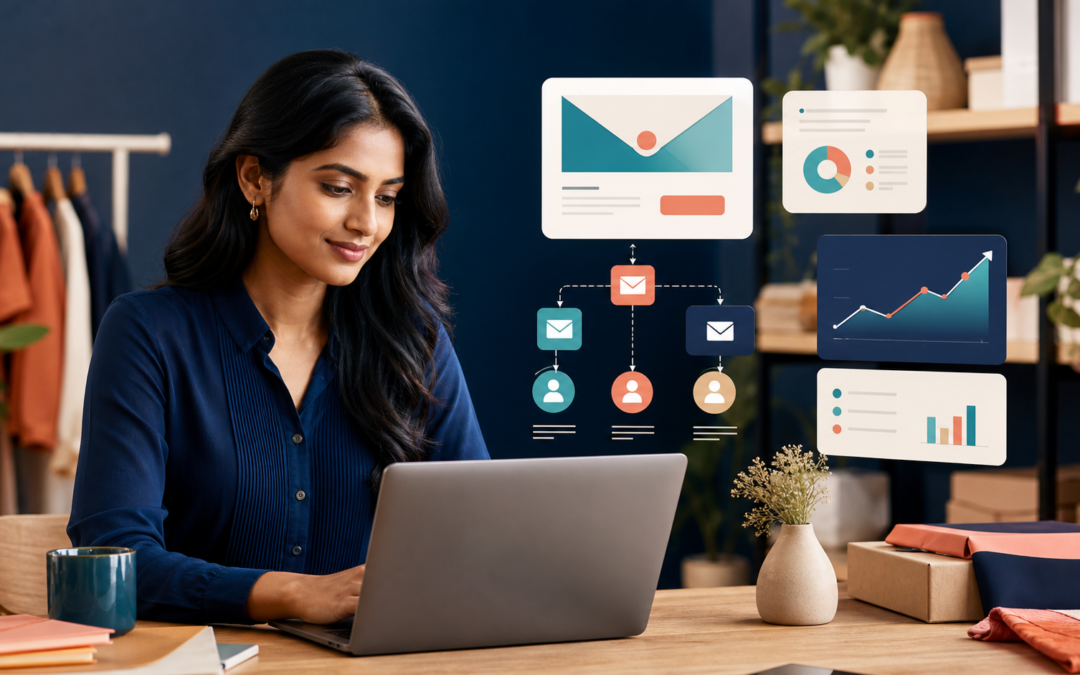
Social media can introduce people to your business, and search engines can help them discover you. Email marketing gives you a direct way to continue the relationship.
That does not mean sending promotions to every address you can find. Effective email marketing begins with permission. People choose to hear from you because you offer useful information, a relevant benefit or a better customer experience. Your job is to respect that trust.
For a small business, email can support lead nurturing, repeat purchases, appointments, customer education and retention. It can also reduce dependence on algorithms because you are communicating with an audience that has asked to receive your messages.
In this guide, I will explain how to build an email marketing strategy, grow a healthy list, create useful campaigns, automate important messages and measure results without becoming spammy.
Contents
- 1 What Is Email Marketing?
- 2 Why Email Marketing Matters for Small Businesses
- 3 Set a Clear Goal Before Choosing a Tool
- 4 Build Your Email List the Right Way
- 5 Choose an Email Marketing Platform
- 6 Protect Email Deliverability
- 7 Create a Welcome Email Sequence
- 8 Segment Your Audience
- 9 Plan Content People Want to Receive
- 10 Write Better Marketing Emails
- 11 Use Automation Without Losing the Human Touch
- 12 Test One Meaningful Variable at a Time
- 13 Measure Email Marketing Performance
- 14 Common Email Marketing Mistakes
- 15 A Simple 30-Day Email Marketing Plan
- 16 Conclusion
- 17 Frequently Asked Questions
- 17.1 How often should a small business send marketing emails?
- 17.2 What is the best email marketing platform for a small business?
- 17.3 How can I grow my email list quickly?
- 17.4 What should my first automated email be?
- 17.5 Are open rates still reliable?
- 17.6 Should every email include a discount?
- 17.7 How do I stop emails going to spam?
What Is Email Marketing?
Email marketing is the use of permission-based email messages to build relationships and encourage business actions. Those messages can educate, welcome, remind, promote, confirm or re-engage.
Common examples include:
- Welcome emails for new subscribers.
- Educational newsletters.
- Product launches and offers.
- Appointment reminders.
- Abandoned-cart messages.
- Customer onboarding sequences.
- Replenishment and renewal reminders.
- Post-purchase guidance.
- Re-engagement campaigns.
The strongest programmes are not a series of disconnected broadcasts. They are designed around the customer journey.
Why Email Marketing Matters for Small Businesses
You Build an Audience You Can Reach Directly
Followers on a social platform do not automatically see every post. An email list gives you a direct communication channel, although inbox placement and engagement still matter.
It Supports Long Buying Decisions
Not every customer buys on the first visit. A useful email sequence can answer questions, demonstrate expertise and keep the business remembered until the customer is ready.
It Encourages Repeat Business
Existing customers already understand the product or service. Relevant follow-up, education and reminders can increase retention without treating every purchase as a new acquisition.
It Can Be Automated
Small teams cannot manually follow up with every contact. Automation can send the right basic message after a signup, purchase, enquiry or period of inactivity.
It Produces Useful First-Party Data
Clicks, purchases and stated preferences can help you understand what subscribers need. Use that information responsibly to improve relevance.
Set a Clear Goal Before Choosing a Tool
An email platform is not a strategy. Start with the business result.
Possible goals include:
- Convert new leads into consultations.
- Generate repeat ecommerce purchases.
- Increase event registrations.
- Reduce missed appointments.
- Improve customer onboarding.
- Bring inactive customers back.
- Build trust through education.
Choose one primary goal for the first programme. This keeps your signup offer, content and measurement focused.
For example, a training business may use email to turn guide downloads into course enquiries. A salon may use it for appointment reminders and seasonal offers. An ecommerce brand may focus on welcome, cart recovery and post-purchase flows.
Build Your Email List the Right Way
List quality matters more than list size. A smaller group of people who asked to hear from you is more valuable than thousands of unrelated addresses.
Use Clear Permission
Tell people what they are signing up for and how often they can expect to hear from you. Do not hide marketing consent inside unrelated terms.
Keep evidence of consent and provide an easy unsubscribe option in every marketing email. Follow the rules that apply to your business and recipients.
Offer a Relevant Reason to Subscribe
Useful signup offers include:
- A checklist or template.
- A short practical guide.
- Early access to new products.
- Helpful tips related to a service.
- A first-order benefit.
- Event or webinar registration.
- Stock or availability alerts.
The offer should attract the type of person who could genuinely become a customer. A broad giveaway may grow the list while producing little business value.
Place Signup Forms Where Intent Exists
Add forms to relevant website pages, checkout flows, booking experiences and high-value content. Explain the benefit beside the form instead of using a vague “Subscribe†button.
Ask only for information you will use. Every extra field creates friction and a responsibility to protect more data.
Never Buy an Email List
Purchased contacts did not ask to hear from you. Sending to them can create complaints, damage sender reputation and reduce deliverability. It also begins the relationship with a lack of trust.
Build the list through your own customer interactions, content and partnerships.
Choose an Email Marketing Platform
A spreadsheet and personal inbox are not suitable for managing a growing marketing list. Use a reputable email service provider.
Look for:
- Signup forms and consent records.
- Segmentation and tagging.
- Automation workflows.
- Mobile-responsive templates.
- A/B testing.
- Deliverability tools.
- Ecommerce or CRM integrations.
- Clear reporting.
- Role-based account access.
- Unsubscribe and suppression management.
Choose based on the next 12 to 18 months, not an unrealistic future. A simple platform used well is better than an expensive system nobody understands.
Protect Email Deliverability
Deliverability is your ability to reach the inbox. Good design cannot help if messages are rejected or sent to spam.
Authenticate Your Sending Domain
Set up the domain authentication records recommended by your email provider. These commonly include SPF, DKIM and DMARC. Authentication helps receiving systems verify that your platform is authorised to send for your domain.
Follow the provider’s instructions carefully or ask a qualified technical person. Incorrect DNS changes can affect other services.
Use a Recognisable Sender
Send from a name and address subscribers recognise, such as “Hemanth from [Business]†or the business name. Avoid a confusing address that looks unrelated to the signup.
Maintain a Healthy List
Remove invalid addresses, respect unsubscribes and monitor complaints. Create a re-engagement process for inactive subscribers instead of sending forever to people who never respond.
Mailchimp’s guidance on email engagement explains how activity and subscription history can support targeted segments. Engagement categories are useful indicators, but the correct standard depends on your normal buying cycle and sending frequency.
Avoid Sudden, Unexplained Changes
A new domain should not immediately send a very large volume. Start with an engaged permission-based audience and build a consistent pattern.
Create a Welcome Email Sequence
A welcome sequence is one of the most useful starting automations. It arrives when the subscriber’s interest is fresh.
Email 1: Deliver and Set Expectations
Send the promised resource or benefit immediately. Confirm what the subscriber will receive and how often.
Email 2: Solve a Small Problem
Share one practical insight connected to the reason they subscribed. Give value before asking for a major commitment.
Email 3: Introduce the Business
Explain who you help, the problem you solve and what makes your approach useful. Keep the focus on the customer rather than writing a long company history.
Email 4: Provide Proof
Use a relevant case study, customer story, demonstration or result. Avoid claims you cannot support.
Email 5: Invite the Next Step
Ask the subscriber to book, reply, view a product, request a quote or read a detailed page. Use one clear call to action.
The exact number and timing depend on the buying cycle. A daily sequence may suit a short event launch, while a high-value professional service may need a slower educational approach.
Segment Your Audience
Segmentation means grouping contacts by meaningful shared information or behaviour. Personalisation changes the content for an individual; segmentation helps you choose which group should receive a particular message.
Useful segments include:
- New subscribers.
- Leads and existing customers.
- People interested in different services.
- First-time and repeat buyers.
- Engaged and inactive contacts.
- Customers by purchase category.
- Subscribers by location when it matters.
Mailchimp’s segmentation guide describes grouping people by criteria such as behaviour, location and profile data to send more relevant campaigns.
Do not create segments simply because the software allows it. Every segment should lead to a meaningful change in message, offer or timing.
Plan Content People Want to Receive
A strong email programme balances business goals with subscriber value.
Educational Content
Answer common questions, explain a process, share a useful checklist or help subscribers avoid a mistake. Educational emails are particularly valuable for services with a long decision process.
Product or Service Content
Show how an offer solves a specific problem. Explain who it is for, what is included and what the next step looks like.
Proof and Stories
Case studies, customer experiences, demonstrations and behind-the-scenes explanations can reduce uncertainty. Use permission when sharing identifiable customer information.
Promotional Content
Promotions can work when they are relevant and honest. Explain the real value, eligibility, deadline and conditions. Do not manufacture urgency.
Retention Content
Help customers get more from what they purchased. Onboarding tips, usage reminders and complementary advice can improve satisfaction and reduce avoidable support questions.
Write Better Marketing Emails
Start With One Main Purpose
An email with five competing goals is difficult to understand. Decide the one action or idea the subscriber should remember.
Write a Clear Subject Line
The subject should accurately represent the email. Avoid misleading “Re:†prefixes, fake urgency and excessive punctuation.
Clarity often beats cleverness. The right subscriber should understand why opening the message is worthwhile.
Make the Opening Relevant
The first lines should connect with the promise of the subject. Do not waste the preview area on a generic greeting or technical text.
Keep the Structure Scannable
Use short paragraphs, descriptive headings where needed and enough visual space. Important information should not be trapped inside one large image.
Use One Primary Call to Action
Make the next step easy to identify. The button or link should describe the action, such as “Book a consultation†or “View the guide.â€
Design for Mobile
Use readable text, sufficiently large buttons and a single-column layout where possible. Test on multiple devices before sending.
Include a Plain-Text Version
A useful plain-text version supports accessibility and ensures the message remains understandable when images do not load.
Use Automation Without Losing the Human Touch
Automation should make communication timely, not robotic.
High-value automation ideas include:
- Welcome sequence after signup.
- Enquiry follow-up.
- Appointment confirmation and reminder.
- Abandoned-cart recovery.
- Post-purchase education.
- Review request after a genuine experience.
- Replenishment or renewal reminder.
- Re-engagement after inactivity.
Modern automation tools can use triggers and branches to create different paths. Mailchimp’s overview of marketing automation flows explains how actions, conditions and branching can personalise the journey.
Review automations regularly. Prices, links, staff details and product availability change. An old automated email can continue sending an outdated promise for months if nobody checks it.
Test One Meaningful Variable at a Time
A/B testing can improve decisions when the test is properly designed.
You can test:
- Subject line approach.
- Offer or message angle.
- Call-to-action wording.
- Email length.
- Send day or time.
- Layout or content format.
Do not change the subject, offer, design and audience in one test. You will not know what caused the difference.
Choose a success metric before sending. If the test changes only the call to action, clicks or conversions may matter more than opens.
Measure Email Marketing Performance
No single metric tells the full story.
Delivery and Bounce Rate
These indicate whether messages reached receiving servers and whether addresses are valid. A growing bounce problem requires attention.
Click Rate
Clicks show that subscribers acted on email content. They are often more useful than opens because privacy features can make open tracking less reliable.
Conversion Rate
Track the desired action after the click, such as a purchase, booking, form submission or registration.
Unsubscribe and Complaint Rate
Some unsubscribes are normal. Sudden increases may indicate poor targeting, excessive frequency or a mismatch with signup expectations.
Revenue and Customer Value
For ecommerce and measurable services, connect email activity to sales, repeat purchases and customer value. Do not optimise only for opens if the business goal is revenue.
Engagement Beyond the Inbox
Mailchimp notes that opens and clicks do not show the complete relationship. Website visits, purchases and other customer actions can add important context.
Common Email Marketing Mistakes
Sending the Same Message to Everyone
New leads, loyal customers and inactive subscribers have different needs. Start with a few meaningful segments.
Buying Lists
Purchased contacts damage trust and can harm deliverability. Build through permission.
Sending Only Promotions
If every email asks for a sale, subscribers have little reason to stay. Add education, help and customer value.
Ignoring Mobile Experience
An attractive desktop email may be unusable on a phone. Test the entire journey, including the landing page.
Focusing Only on Open Rate
Privacy changes affect open tracking, and an open does not equal revenue. Use clicks, conversions and customer outcomes.
Hiding the Unsubscribe Link
Make unsubscribing easy. Forcing an uninterested person to stay increases frustration and complaints.
Leaving Automations Unchecked
Review every active automation at least quarterly and whenever the business changes.
A Simple 30-Day Email Marketing Plan
Week 1: Define the Foundation
- Choose one business goal.
- Select an email platform.
- Authenticate the sending domain.
- Review consent and privacy language.
Week 2: Build the Signup Experience
- Create one relevant signup offer.
- Add a focused form to suitable pages.
- Write the thank-you message.
- Prepare the first welcome email.
Week 3: Create the Core Sequence
- Write three to five welcome emails.
- Define the main call to action.
- Test links and mobile layouts.
- Set up basic lead and customer segments.
Week 4: Send, Measure and Improve
- Launch to a permission-based audience.
- Review delivery, clicks and conversions.
- Collect subscriber questions.
- Plan the next month of useful content.
Keep the first system manageable. Consistent execution is more valuable than a complicated workflow that never launches.
Conclusion
Email marketing for small businesses works when it is built on permission, relevance and consistency. Start with a clear goal, attract the right subscribers and deliver what you promised.
Use segmentation to make messages more useful, automation to improve timing and measurement to connect email activity with real business outcomes. Protect deliverability by maintaining a healthy list and respecting unsubscribes.
You do not need dozens of campaigns to begin. A clear signup offer, a helpful welcome sequence and one useful regular email can create a strong foundation. Build from evidence, not from the temptation to send more messages to more people.
Email performs even better when the right local customers can discover you first. Read my guide to local SEO for small businesses in Chennai for a practical search-visibility plan.
Frequently Asked Questions
How often should a small business send marketing emails?
Choose a frequency you can maintain while providing value. Weekly, fortnightly or monthly can all work. Set expectations at signup and monitor engagement, complaints and unsubscribes.
What is the best email marketing platform for a small business?
The best platform depends on your list size, integrations, automation needs and budget. Prioritise consent management, segmentation, mobile templates, reporting and reliable support over a long feature list.
How can I grow my email list quickly?
Create a relevant reason to subscribe, place clear forms on high-intent pages and promote the offer through existing customer channels. Avoid purchased lists and broad giveaways that attract the wrong audience.
What should my first automated email be?
A welcome email is usually the best starting point. Deliver the promised benefit, confirm expectations and guide the subscriber to one useful next step.
Are open rates still reliable?
Open rates can be affected by privacy and image-loading behaviour. Use them as a directional signal, but give more weight to clicks, conversions, replies, purchases and customer outcomes.
Should every email include a discount?
No. Constant discounts can weaken margins and train customers to wait. Educational content, useful reminders, product guidance and relevant stories can create value without a promotion.
How do I stop emails going to spam?
Use permission-based contacts, authenticate the sending domain, remove invalid addresses, send relevant content, avoid deceptive subject lines and make unsubscribing easy. No method guarantees inbox placement, but these practices strengthen sender reputation.